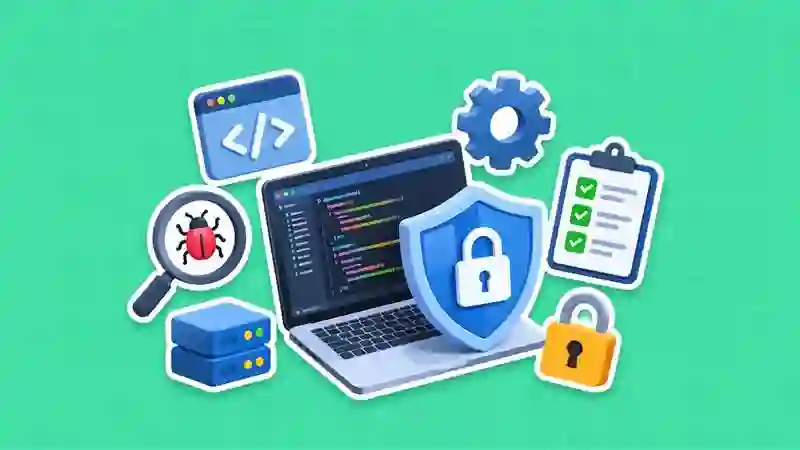
Your website is more than just an online presence. It’s a critical business asset. Whether you run an e-commerce store, a corporate website, or a personal blog, cybersecurity should be a top priority. Hackers are constantly evolving their tactics, targeting vulnerabilities to steal data, disrupt services, or damage reputations.
The good news? You don’t need to be a cybersecurity expert to significantly reduce your risk. By implementing the website security best practices, you can protect your website from the most common attacks. Here are 10 effective ways to safeguard your website from hackers.
Key Statistics
A study shows that 43% of cyberattacks target small businesses, yet many lack proper security measures. In fact, nearly 60% of small companies that experience a major cyberattack shut down within six months due to financial and reputational damage. Additionally, over 70% of small businesses admit they are not fully prepared to handle a cyber incident, making them an easy target for hackers.
| Industries |
Types of Attacks |
Percentage of Attacks |
| Healthcare |
Ransomware, Data Breaches |
20 to 22% |
| Finance & Banking |
Phishing, Malware, Fraud |
18 to 20% |
| Retail & E-commerce |
Phishing, Ransomware |
15 to 18% |
| Education |
Phishing, Ransomware |
8 to 10% |
| Manufacturing |
Industrial espionage, Malware |
12 to 15% |
| Government |
Nation-state attacks, DDoS |
5 to 7% |
| IT & Tech |
Advanced persistent threats (APT) |
10 to 12% |
Essential Website Security Checklist
Here are the website security best practices. Explore how to secure your website from hackers.
1. Keep Software and Plugins Updated
Outdated software is one of the most common entry points for hackers. Content management systems (CMS), plugins, themes, and server software frequently release updates to fix security vulnerabilities.
What you should do:
- Regularly update your CMS (e.g., WordPress, Joomla).
- Remove unused plugins and themes
- Enable automatic updates where possible
Staying updated ensures that known security loopholes are patched before hackers can exploit them.
2. Use Strong Passwords and Authentication
Weak passwords make it easy for attackers to gain unauthorized access through brute force attacks.
Best practices:
- Use long, complex passwords with a mix of characters
- Avoid reusing passwords across platforms
- Enable two-factor authentication (2FA)
Even if a hacker cracks your password, 2FA adds an extra layer of protection.
3. Install an SSL Certificate
An SSL certificate encrypts data transmitted between your website and users, making it harder for hackers to intercept sensitive information.
Benefits of SSL:
- Protects login credentials and user data
- Improves SEO rankings
- Builds user trust with HTTPS
Without SSL, your site is vulnerable to man-in-the-middle attacks.
4. Regularly Back Up Your Website
No matter how secure your website is, breaches can still happen. Backups ensure you can quickly restore your site without losing data.
Backup tips:
- Schedule automatic daily or weekly backups
- Store backups in multiple locations (cloud + local)
- Test backups regularly
Think of backups as your safety net in case something goes wrong.
5. Use a Web Application Firewall (WAF)
A Web Application Firewall filters and monitors incoming traffic, blocking malicious requests before they reach your website.
What it protects against:
- SQL injection attacks
- Cross-site scripting (XSS)
- DDoS attacks
A WAF acts as a protective shield between your website and potential threats.
6. Limit Login Attempts
Unlimited login attempts allow hackers to use automated tools to guess passwords.
How to fix it:
- Restrict the number of failed login attempts
- Temporarily lock accounts after multiple failures
- Use CAPTCHA to prevent bots
This simple step can drastically reduce brute force attacks.
7. Secure Your Hosting Environment
Your hosting provider plays a major role in your website’s security. A poor hosting environment can expose your site to vulnerabilities.
Look for hosting providers that offer:
- Regular security updates
- Malware scanning
- Firewalls and DDoS protection
- 24/7 monitoring
Shared hosting can be riskier, so consider upgrading if security is a concern.
8. Scan for Malware Regularly
Hackers often inject malicious code into websites without immediate detection. Regular malware scans help you catch issues early.
What to do:
- Use security tools or plugins for scanning
- Monitor file changes
- Set up alerts for suspicious activity
Early detection can prevent bigger problems later.
9. Implement Proper User Roles and Permissions
Not everyone needs full access to your website. Granting excessive permissions increases the risk of internal or external breaches.
Best practices:
- Assign roles based on necessity (admin, editor, viewer)
- Remove inactive users
- Regularly review access permissions
Limiting access minimizes potential damage if an account is compromised.
10. Monitor and Log Website Activity
Keeping track of what’s happening on your website helps you identify unusual behavior quickly.
Key things to monitor:
- Login attempts
- File changes
- Traffic spikes
- Admin actions
Activity logs provide valuable insights and help you respond faster to threats.